
SketchBeans: The Pre-Pro Rig for Unhinged Comedy
Let’s be honest: standard screenwriting software feels like doing your taxes. When you get hit with a genuinely unhinged idea—say, a guy who is trying to successfully navigate a job interview while a bird is loose in his shirt—the absolute last thing you want to do is spend two hours fighting with dual-column audio/video formatting macros.
The manic energy of a bit usually dies in pre-production. You lose the joke while trying to draw stick figures that look like they’re in agony.
I built SketchBeans to fix that.
SketchBeans isn’t a bloated enterprise word processor. It’s a digital production clipboard built specifically for digital creators and filmmakers. It strips away the friction and focuses entirely on the things that actually make it to the screen: blocking the action, calling the camera moves, and generating a shoot plan so you don’t waste time on set.
Here is how the rig is broken down.
1. Scene Config: Lock in the Vibe
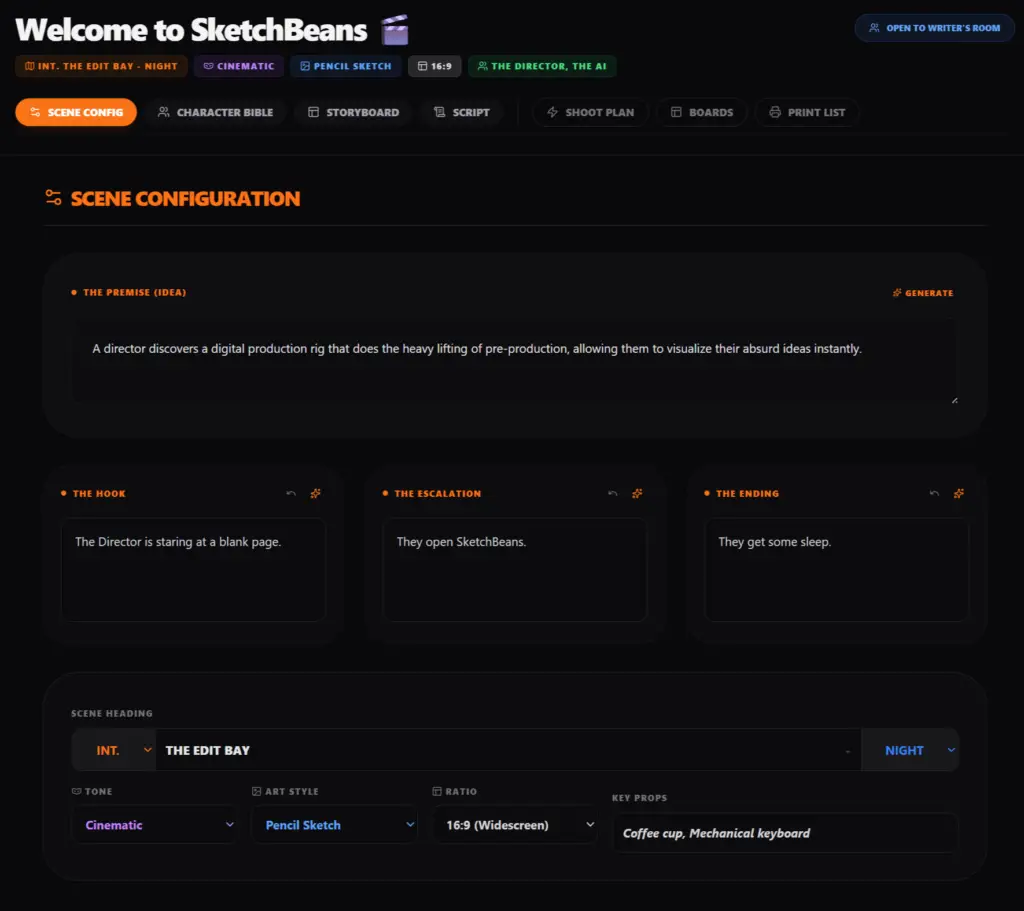
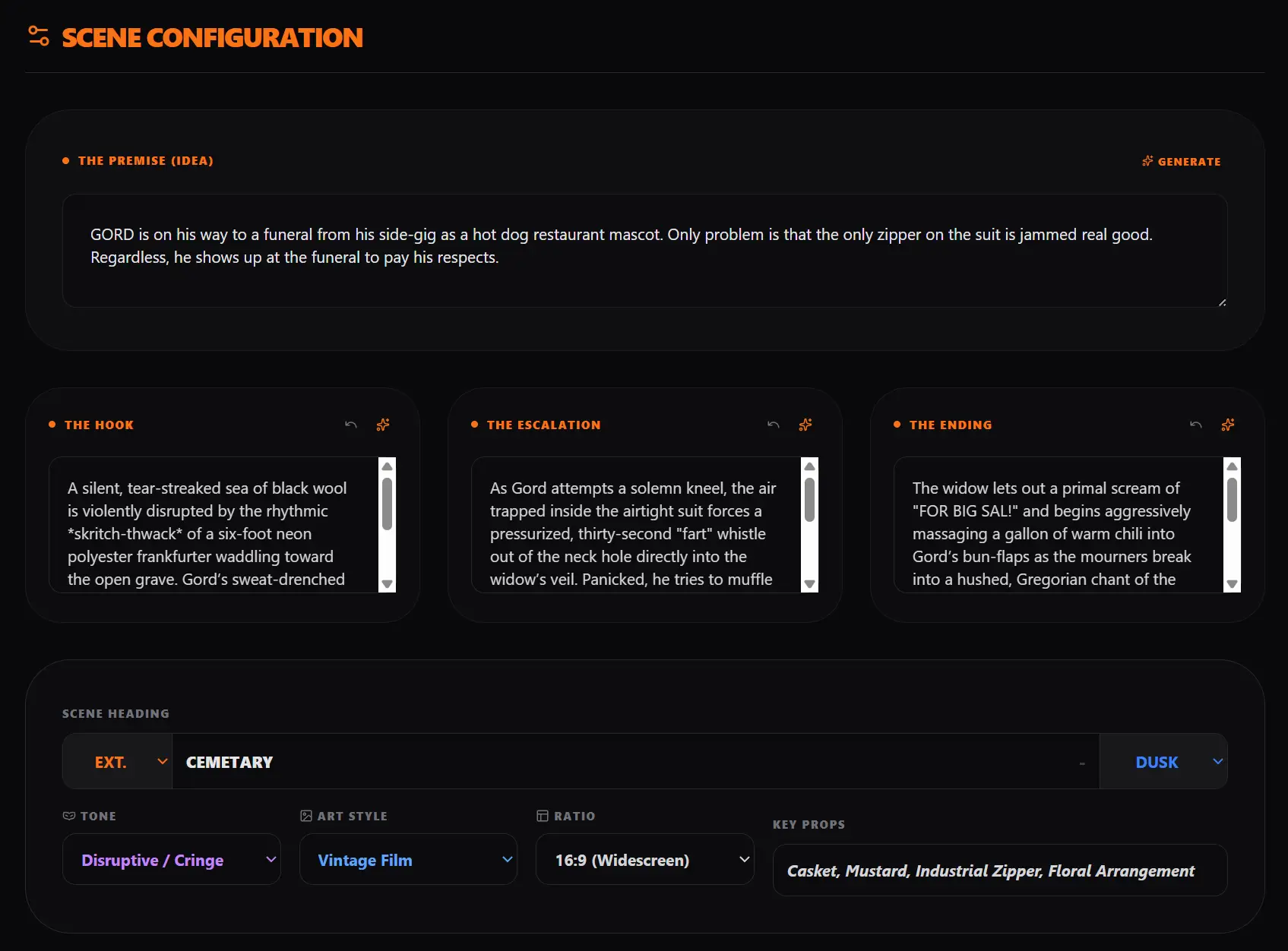
Comedy relies entirely on hyper-specific details and atmospheric tone. Before you write a single line of dialogue, SketchBeans forces you to establish the baseline.
The Premise Seed: Drop your chaotic idea into the text box to anchor the sketch.
The Look & Tone: Select your aspect ratio, your visual style, and your comedic tone (Absurdist, Disruptive/Cringe, Deadpan, Slapstick). If it’s a mockumentary, the rig needs to know it’s a mockumentary.
The Props: Pin down the hero props early so art dept (which is probably also you) doesn’t forget the mustard bottle.
2. Character Bible: Cast the Archetypes
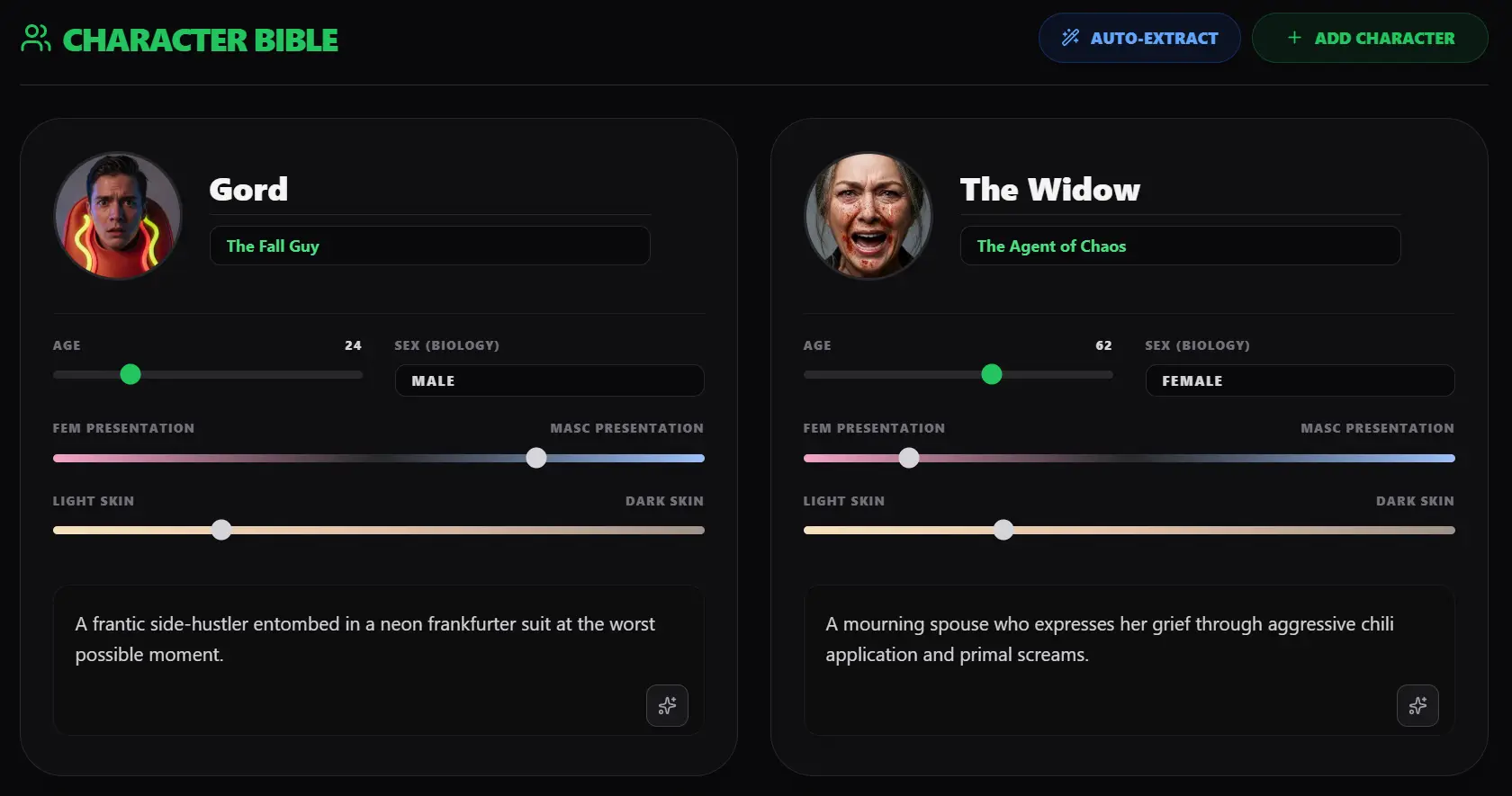
You aren’t writing “MAN 1” and “WOMAN 2.” You are writing highly specific weirdos.
The Sliders: Build your cast visually. Use sliders to dial in their age, femme/masc presentation, and melanin levels.
The Archetypes: Assign them a comedic role. Are they The Agent of Chaos? The Straight Man? The Himbo?
The Fatal Flaw: Write a brutal 15-word description of what is fundamentally wrong with them.
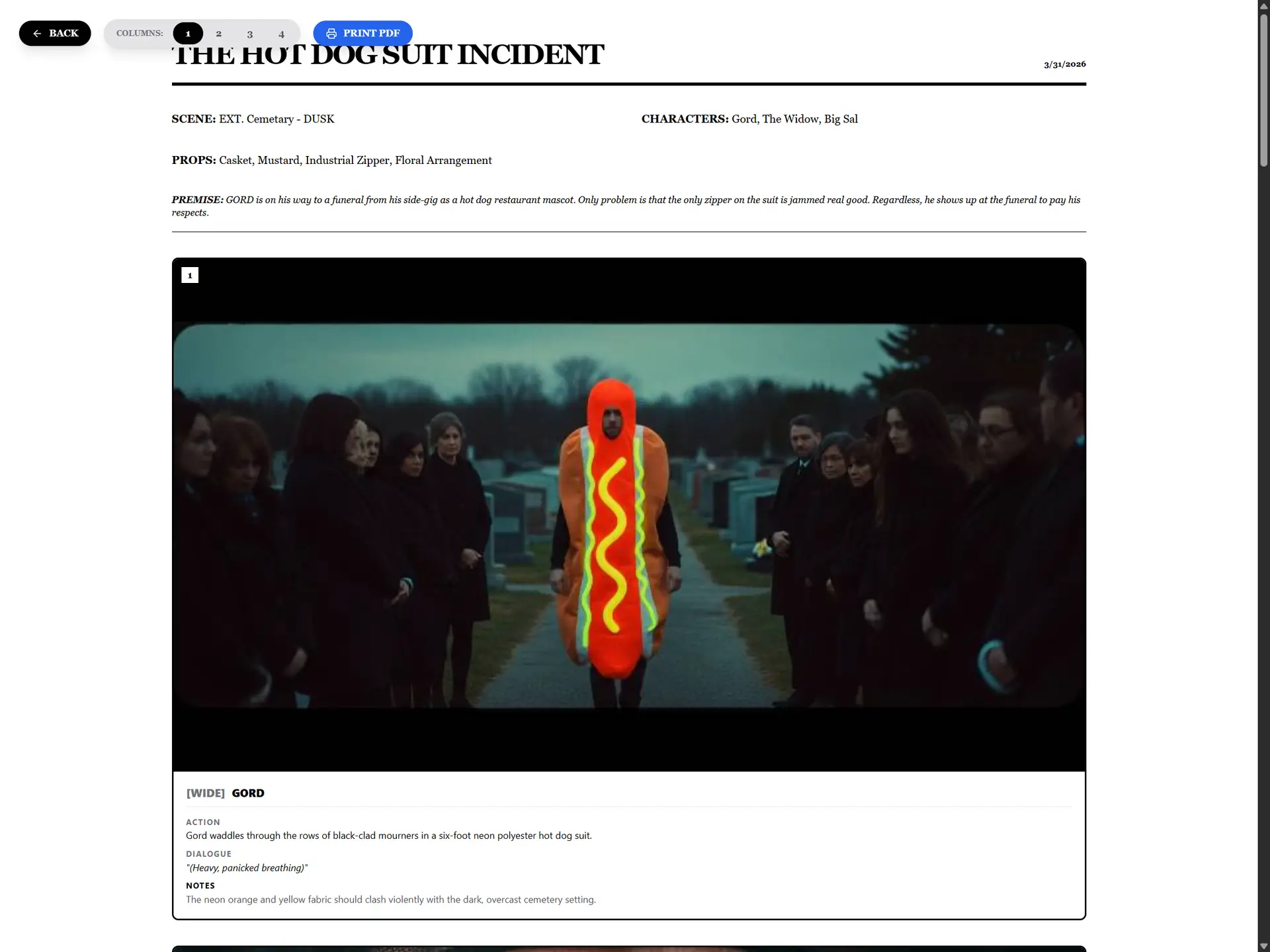
The Headshots: Upload reference photos of your talent or wardrobe pulls so the whole crew knows exactly who is playing the guy in the hot dog suit.
3. The Storyboard: The Manual Engine
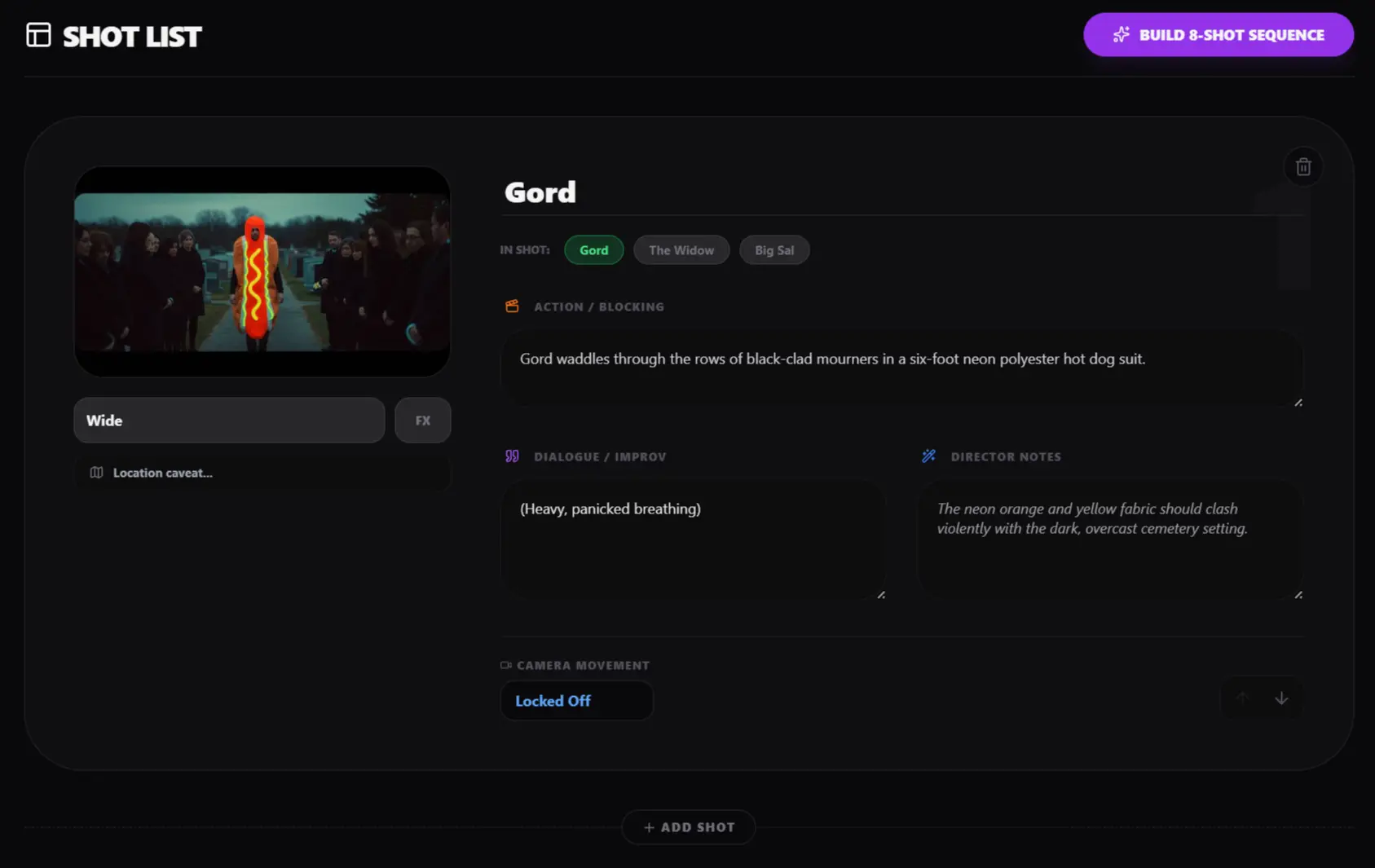
This is where the rig really hums. You build your sequence manually, card by card, treating the bit like a visual medium rather than a literary one.
Call the Framing: Set your shot size (Wide, Medium, POV, Insert).
Call the Camera Move: A locked-off wide shot of a funeral is fine context, but a sudden crash zoom into a panicked face is a punchline. Call your whips, creeps, and tracking shots.
Block the Scene: Manually type out the physical action, jot down the improv dialogue, and add specific lighting or lens notes for your DP.
Upload References: Upload your location scouts or reference frames directly into the shot cards to build a functional, visual board.
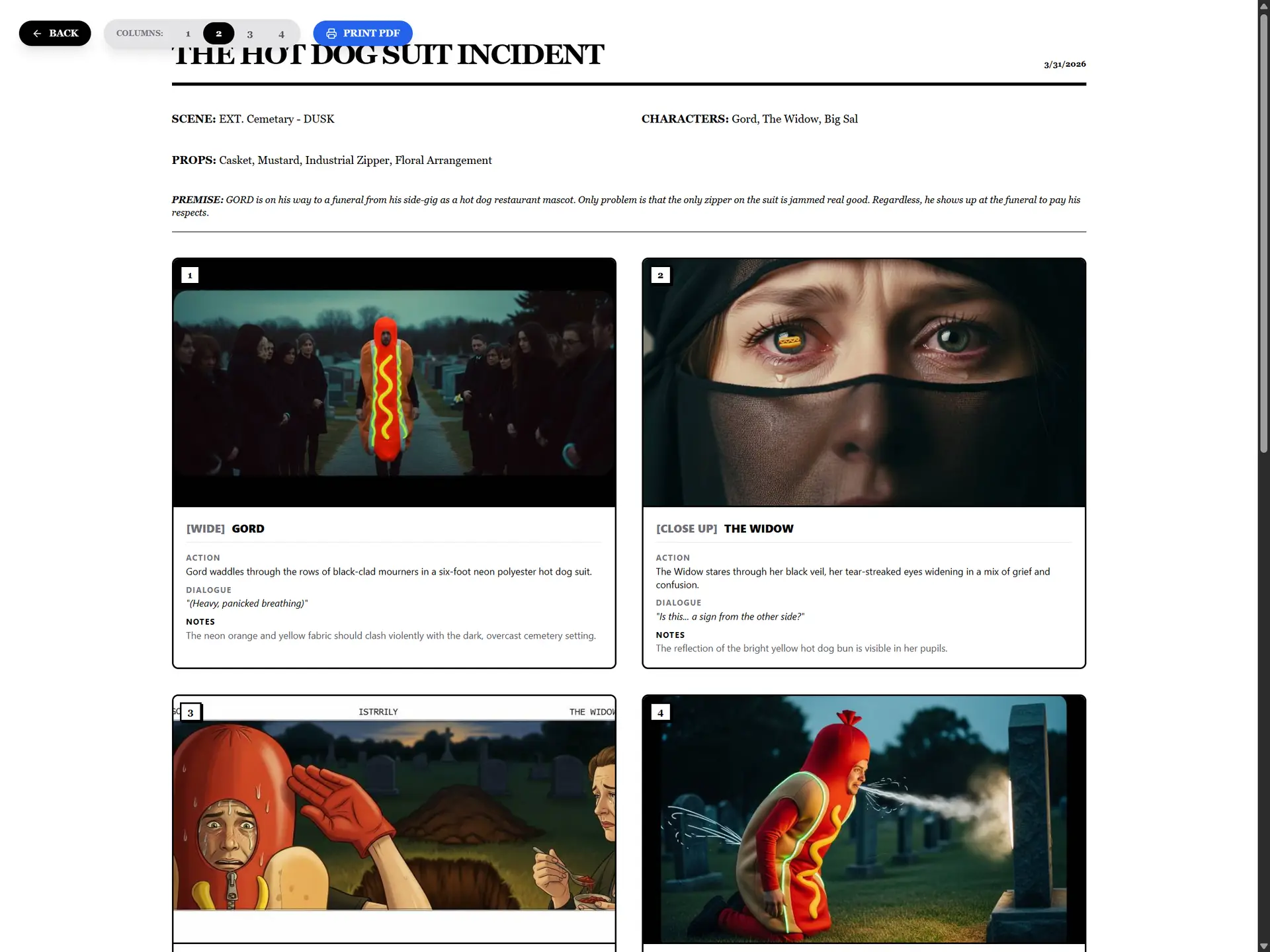
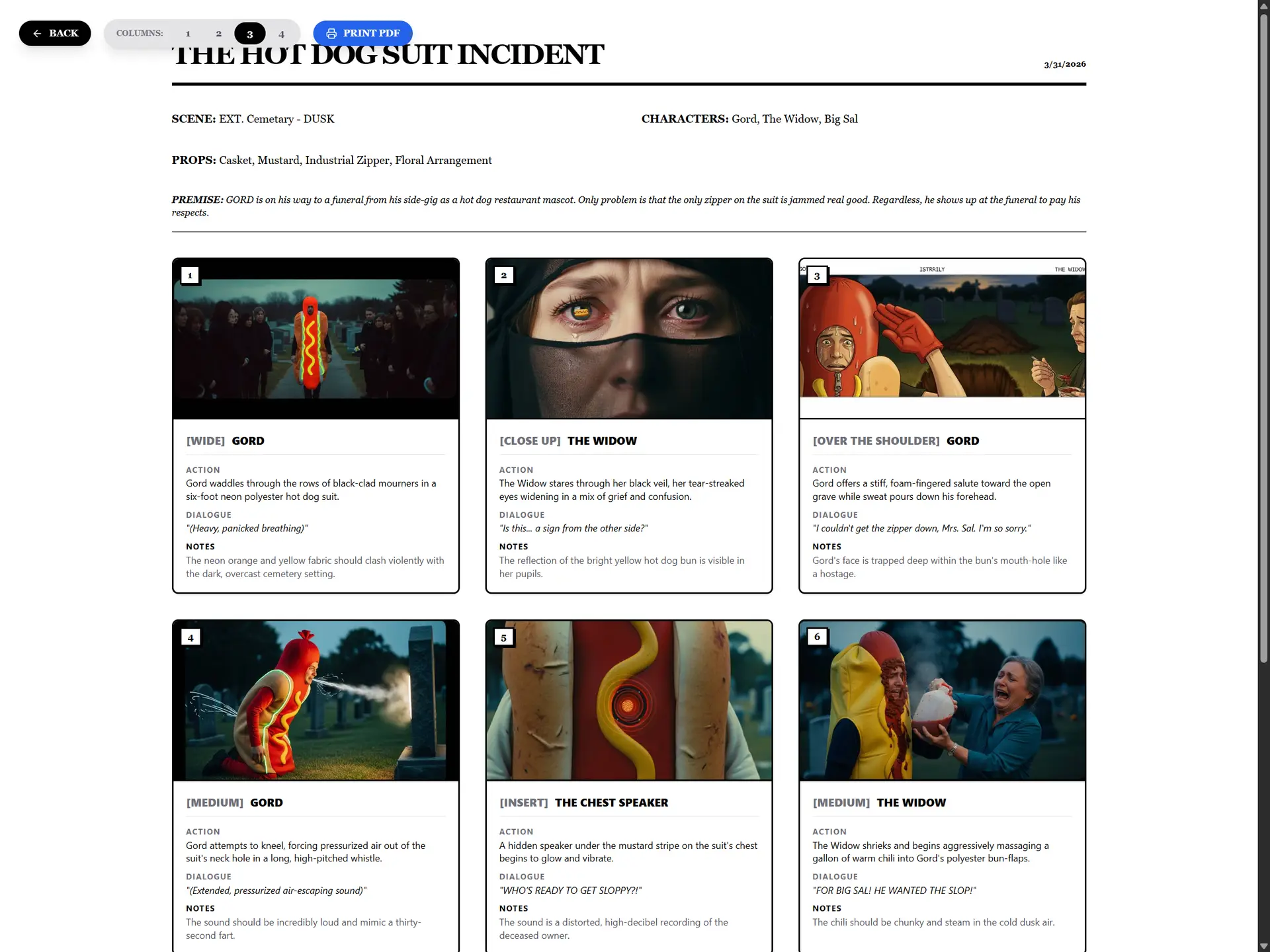
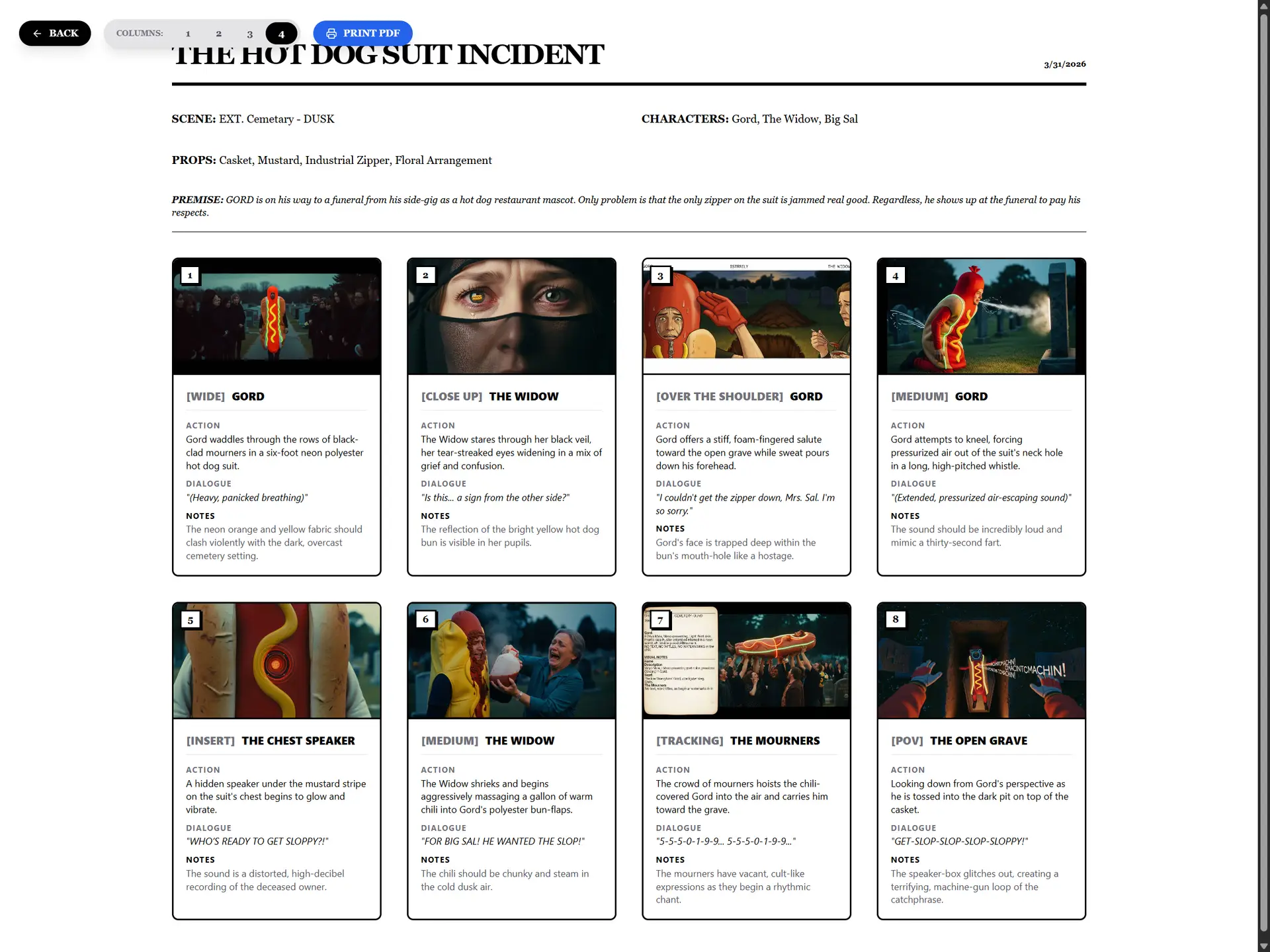
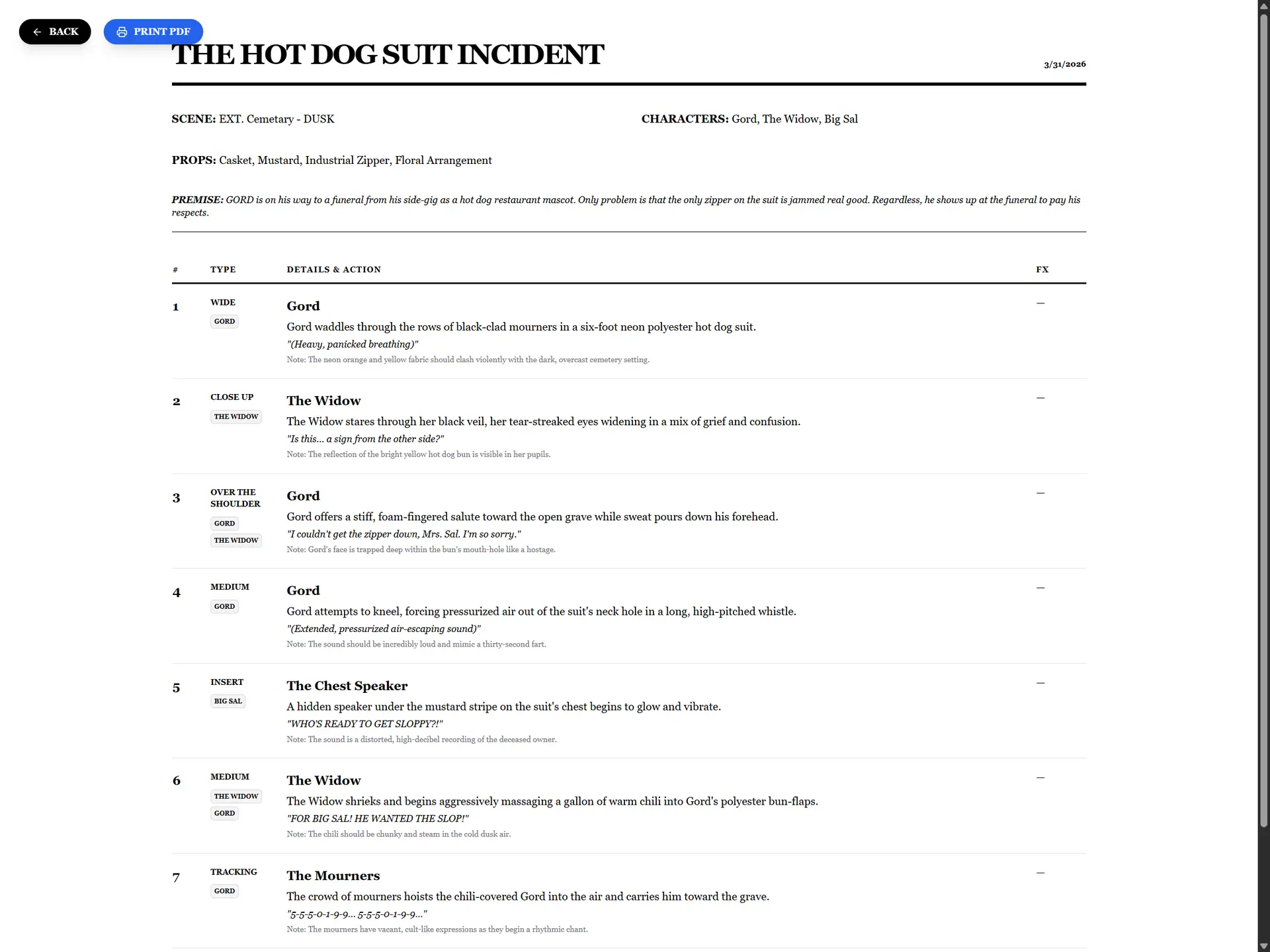
Print the Boards: Need physical copies to wave frantically at your crew? Switch to the ‘Boards’ tab, choose between 1 to 4 columns depending on how much margin space you need for frantic scribbling, and export a clean, printable PDF.
4. The Cloud Rig: Autosave & The Writer's Room
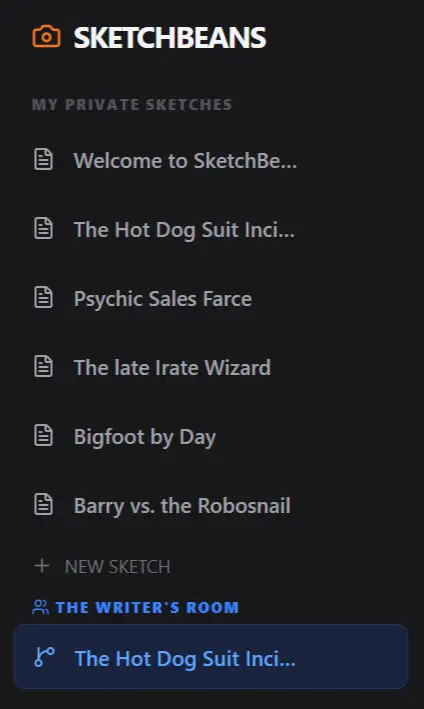
You don’t need an account to mess around, but if you log in with Google, the rig acts as a silent digital script supervisor. It autosaves your progress every 5 seconds to a private cloud master, so you never lose a joke to a browser crash.
Want to invite chaos? Click Open to Writer’s Room to push a public branch of your sketch. Anyone with the link can jump in, tweak the dialogue, or add new shots. As the showrunner, you can review the damage and pull the best jokes back to your private master.
5.The Paperwork: Scripts & The AI 1st AD
You don’t have time to re-type your shot list into Final Draft. Once your storyboard is locked, SketchBeans handles the physical deliverables for your crew.
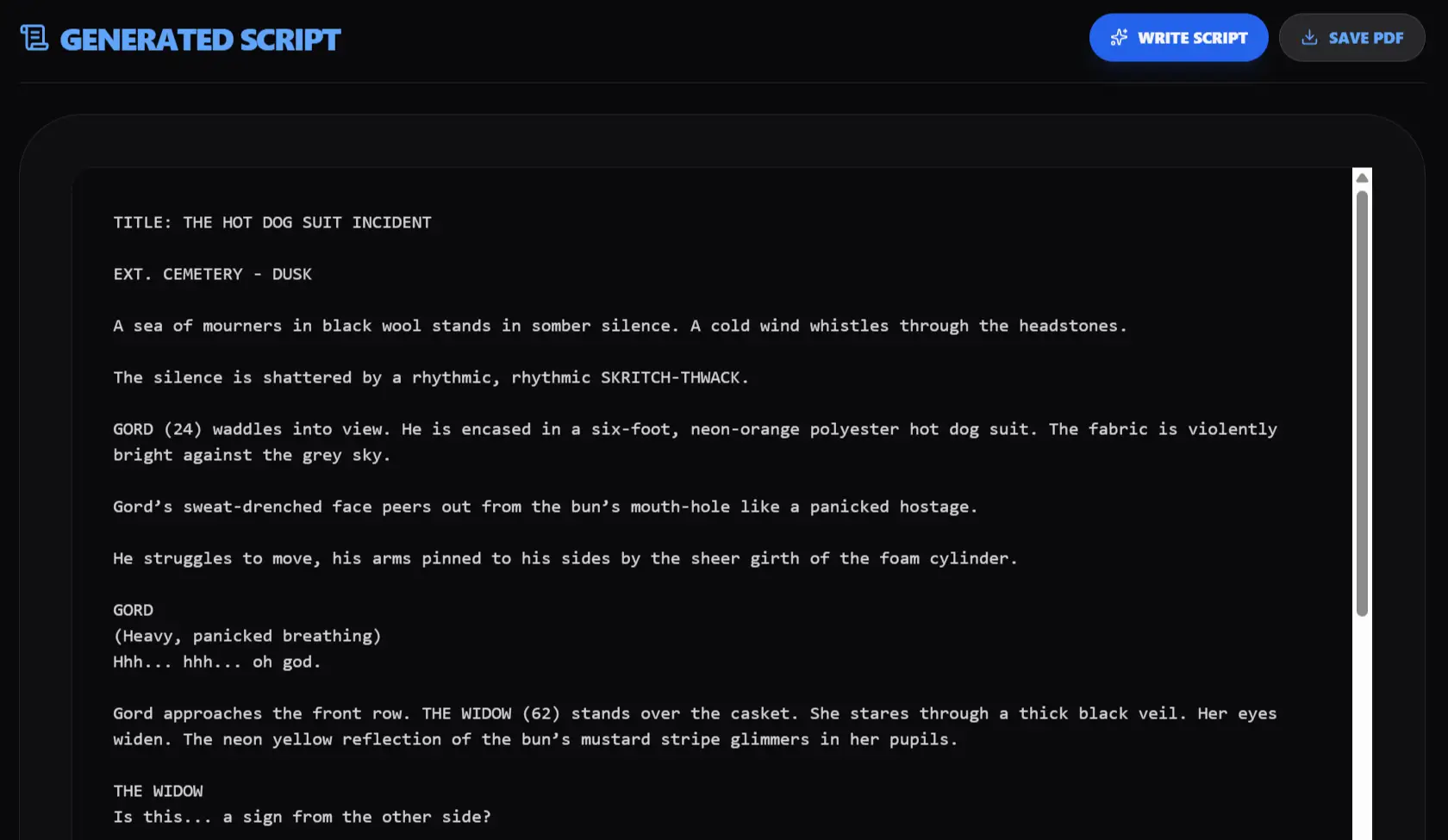
- The Script: Click a button, and the rig reads your manual shot list and auto-formats the entire sequence into a clean, standard text script ready for the actors.
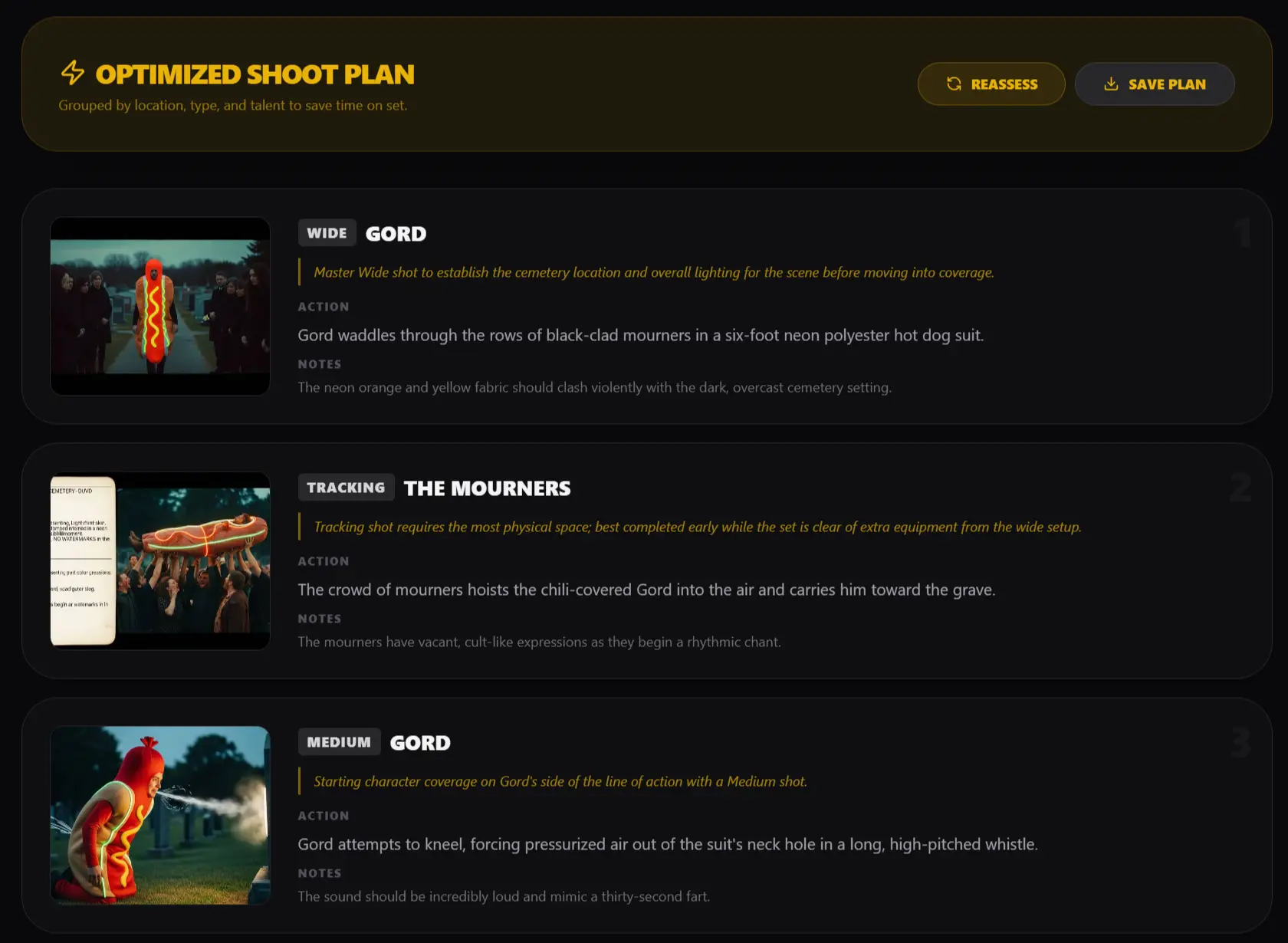
The Shoot Plan: “Fix It In Post” usually happens because you ran out of time on set. Let the AI act as your 1st AD. It analyzes your storyboard and reorganizes the chronological mess into a highly optimized shooting order—grouping by location caveats, cast, and camera setups. Print the clean text list to a PDF, hand it to your crew, and stop moving the same lights back and forth twelve times in one afternoon.
The Co-Writer (Optional AI Contingencies)
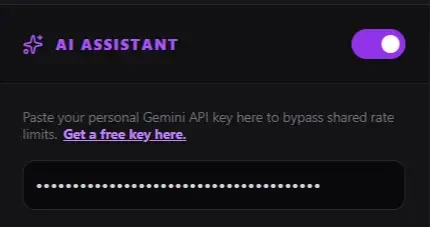
I firmly believe tools should assist artists, not replace them or annoy them. SketchBeans is, by default, a pure, manual production tool. If you despise the current tech-bro AI hype cycle, just leave the “AI Assistant” toggle turned off. The rig stays dark, manual, and entirely yours.
However, if you hit a wall and want an extra brain in the room, SketchBeans has an entirely optional AI engine built into the rig. I’m not running a SaaS grift here, so there are no monthly subscriptions. It uses a BYOK (Bring Your Own Key) system. You just grab a free API key from Google AI Studio, paste it into the sidebar, and unlock a few safety nets:
The “Yes, And” Engine: If you write a half-baked action line, click the Sparkle icon. The AI acts as a writer’s room—it reads what you wrote, adopts your chosen comedic tone, and escalates the joke rather than erasing your work.
Auto-Fill Shots: Stuck on how to transition between two scenes? The AI reads your previous shots and suggests the next logical camera setup to keep the momentum going.
Storyboard Hallucinations: If you can’t draw and don’t have reference photos, the rig hooks into Google’s Imagen model. It reads your character bible, your camera moves, and your chosen art style to hallucinate a placeholder storyboard panel for you.
Go break the rig, make something absurd, and let me know what you think.